
Help desk
ticketing
for
DoppleDesk gives your team a clean, friendly way to track and resolve support requests, and it's completely free for up to 20 agents and up to 50 active tickets. Optimized for small organizations.
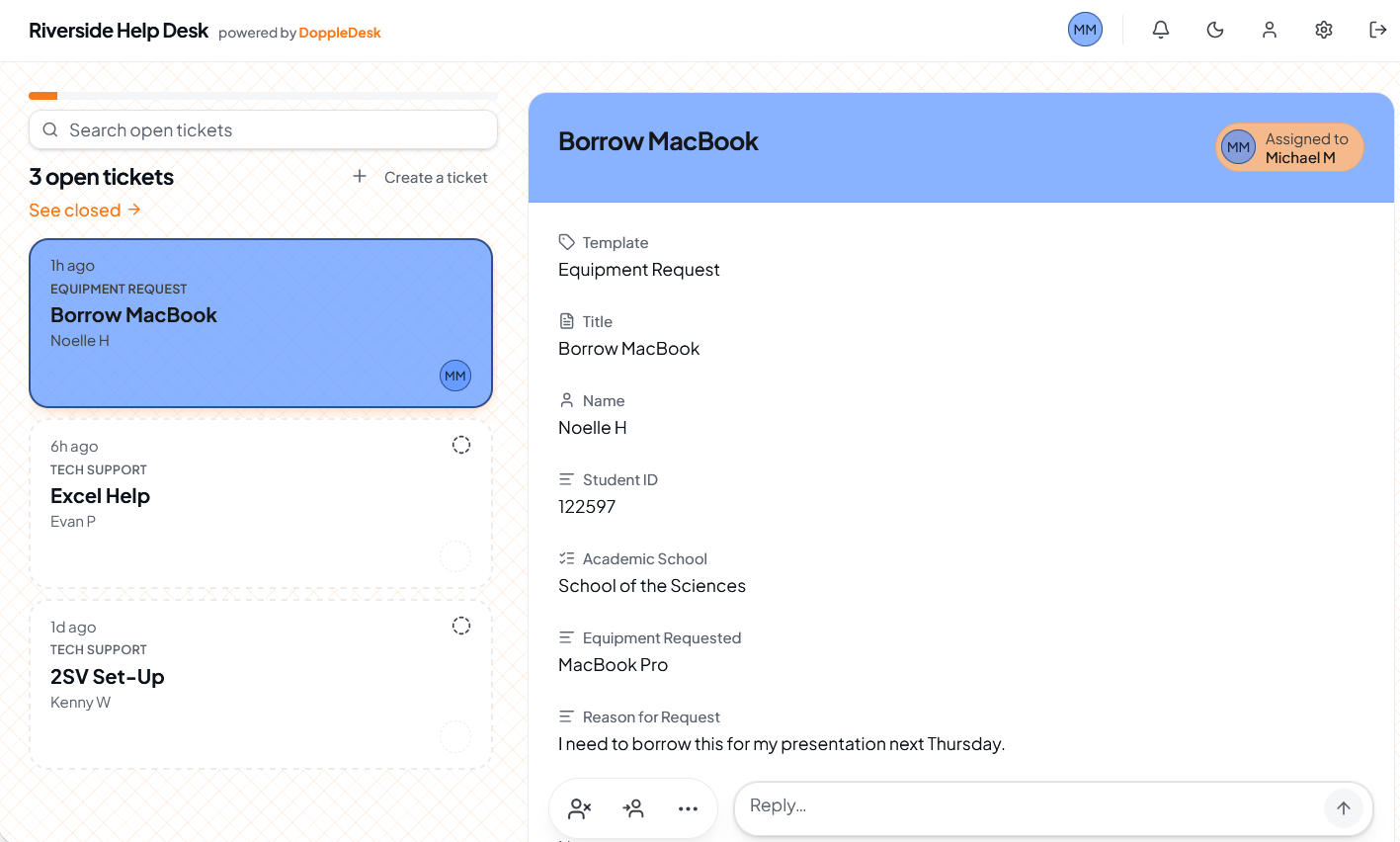
Everything you need, nothing you don't
DoppleDesk keeps it simple so your team can focus on helping people, not learning software or paying a premium for bundled-in features that your team doesn't need.
50 tickets at once, always free
Keep up to 50 open or closed tickets in your workspace at no cost. Clear out one to make room for another.
Up to 20 agents
Add your entire crew as agents on the free plan: volunteers, board members, and officers. No per-seat charges, ever.
Customizable portal
Pick a color, gradient, or image background. Set your portal name, intro text, thank-you message, and custom intake fields. Your support page, your way.
Refreshingly easy to use
Designed to be picked up and used immediately, no training sessions or documentation required. The interface is intuitive for users of all skill levels.
Mobile-friendly
Triage from the bus, the bleachers, or the back of the room. The agent queue and public portal work beautifully on phones.
In-app notifications
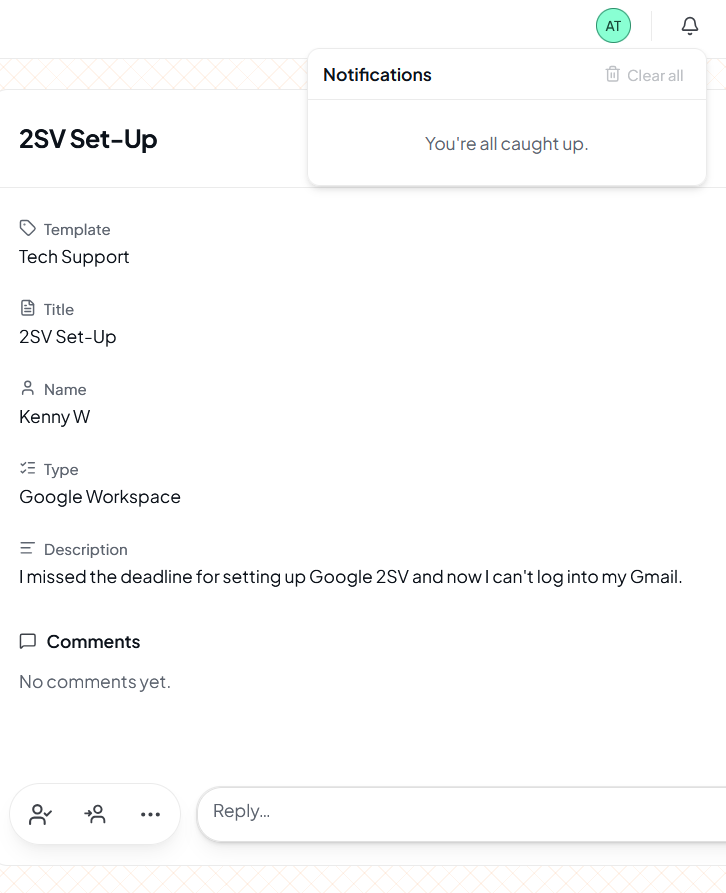
A live bell in the top bar tells agents when tickets are assigned or updated, or when someone mentions them in a comment. Dismiss them one at a time or clear them all in a click.
Easy export & automatic backups
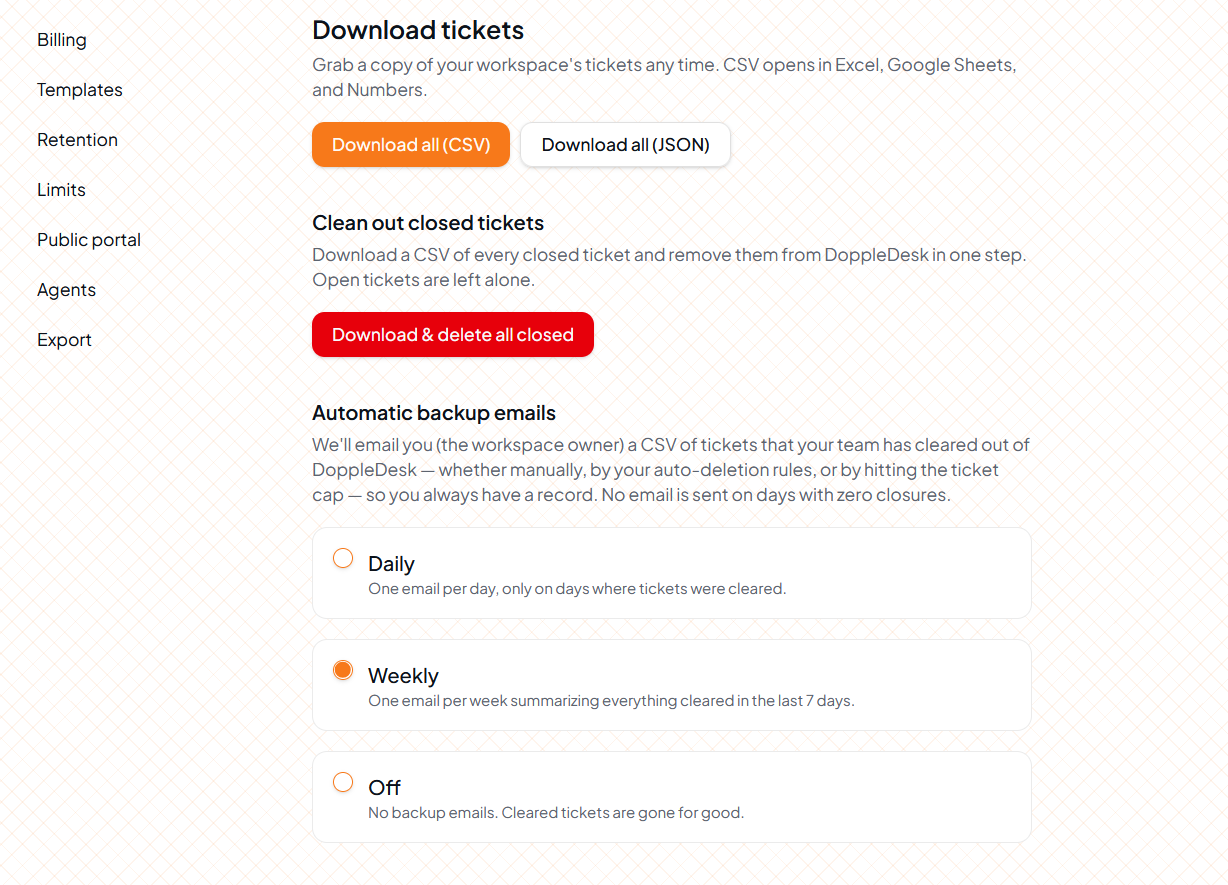
Download your tickets as CSV any time, set retention rules, and opt into daily or weekly email digests with a CSV of every cleared ticket so a full log lands in your inbox automatically.
Custom ticket templates
Build up to three intake templates for free with the exact fields you need: bug reports, room bookings, volunteer requests — so submissions arrive structured.
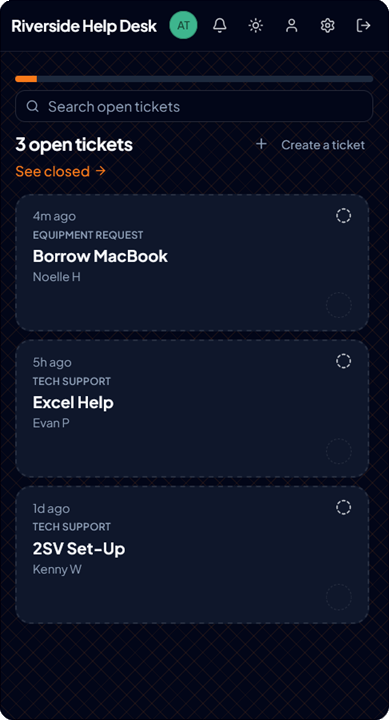
Dark mode built in
A polished dark mode is included out of the box. Easy on the eyes and familiar to digital natives.
Tickets arrive, zoom by, and drive away
Think of the Doppler effect, which is the scientific term for why a car speeding past you goes WOOSH! That's the moment that DoppleDesk captures: an issue rolls into your queue, your team catches it while it's relevant, and then it clears out of your system so the queue stays a place for what's happening now.
Your workspace holds 50 tickets total across open and closed. When you close a ticket you can delete it immediately, let it clear after a length of time you choose, or have it auto-clear when you hit your caution limit or the hard limit.
1. A ticket arrives in the queue
When a ticket is submitted in the portal or created by an agent, it's instantly viewable by the whole team.
2. Resolve the issue while it matters
Collaborative features let you see when your members are viewing a ticket, when they've taken ownership of it or assigned it to someone, and when you're waiting on something before you can respond. Comment threads and mentions make it easy to stay on the same page.
3. The ticket drives away
Close it and choose what happens next: delete it right away, let it age out on a schedule, or have it deleted automatically when limits get tight. Worried about losing the paper trail? Turn on automatic email backup and you'll get to download a CSV record of every ticket that cleared out that day or week.
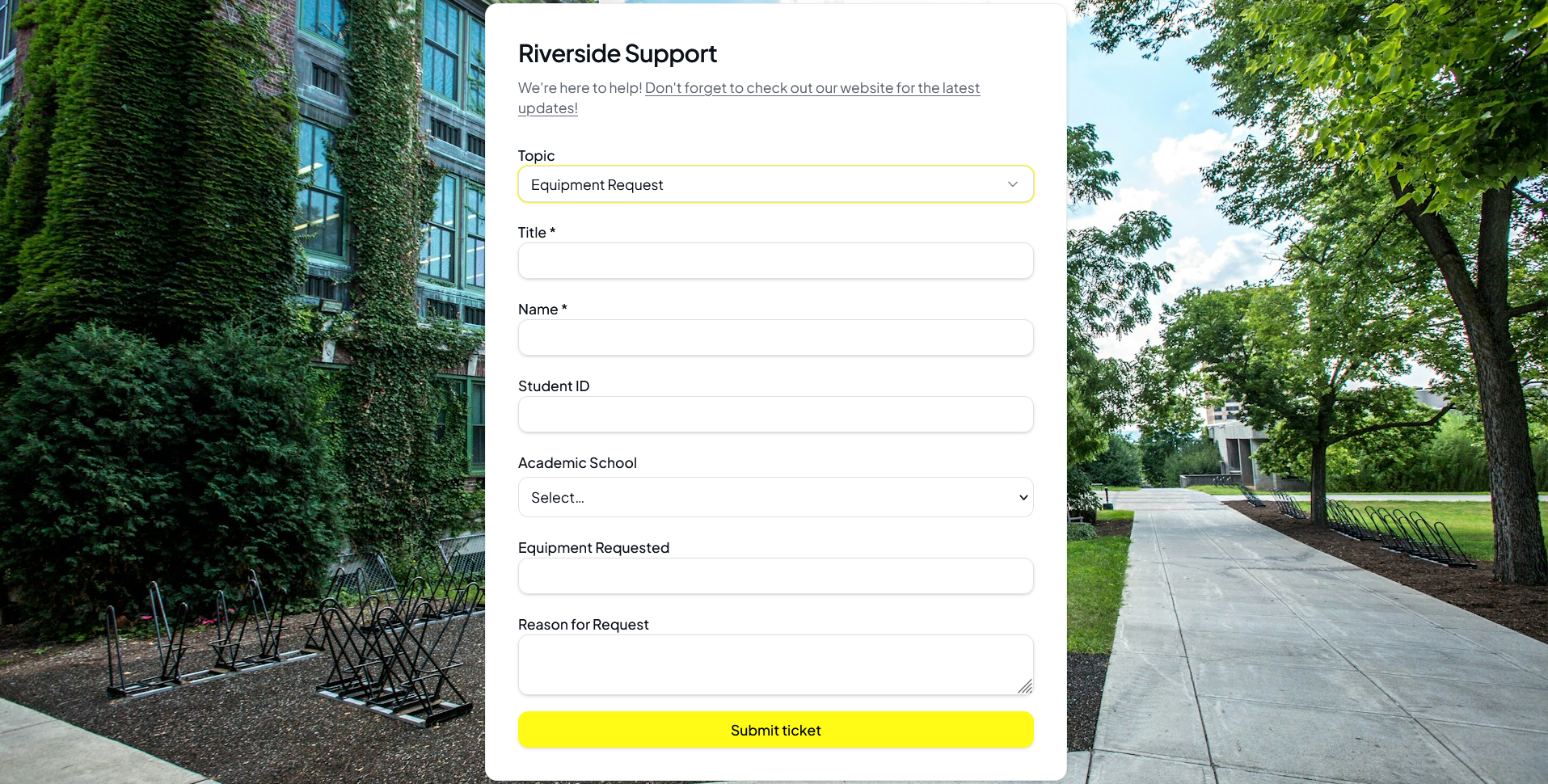
A support page that looks like you
Pick a solid color, a gradient, or upload a background image. Set your portal name, write a warm intro and a thank-you message, and add the custom fields you actually need on intake. No generic "submit a ticket" page here.
- Color, gradient, or image background
- Custom portal name & friendly intro copy
- Personalized thank-you message after submission
- Custom intake fields — capture exactly what you need
Built for phones, tablets, and late-night laptops
Triage from the bus, the bleachers, or the back of the room. The agent queue and public portal work beautifully on phones.
Up and running in minutes
No IT department or lengthy onboarding. Straightforward setup lets you start helping people today.
Create your workspace
Sign up in under a minute. Name your organization, set up a ticket template, invite your first agents and you're ready to receive tickets.
Customize your portal
Pick your colors, add a background, write a friendly intro, and shape your intake form with custom fields.
Share your support link
Give members, students, or community folks a simple link. They submit requests without needing an account.
Assign & resolve tickets
Agents can see incoming tickets, pick them up, assign them to one another, leave comments, and close them when they're done.
Export anything. Back up automatically.
Download your tickets as CSV in a click, or opt into daily or weekly backup emails that deliver a CSV of every cleared ticket straight to your inbox. Set retention rules to auto-delete closed tickets and configure what happens at your limits. DoppleDesk never holds your data hostage.
A generous, truly functional free tier
Most help desk software charges per seat, so adding agents is a costly headache. DoppleDesk gives you 20 agents free, flat, with every core feature included. Need more tickets, templates, or seats? Step up to Plus or Pro whenever you're ready.
Everything a small team needs, at no cost.
- ✓Up to 20 agents
- ✓Up to 50 active tickets
- ✓3 custom intake templates
- ✓1 customizable portal
- ✓In-app notifications
- ✓CSV export, retention & auto-backup emails
- ✓Dark mode & mobile-friendly
Room to grow without per-seat surprises.
- ✓Up to 35 agents
- ✓Up to 100 active tickets
- ✓7 custom intake templates
- ✓2 customizable portals
- ✓Everything in Free
For busier teams running multiple portals.
- ✓Up to 50 agents
- ✓Up to 250 active tickets
- ✓15 custom intake templates
- ✓3 customizable portals
- ✓Everything in Plus
Annual billing available at a discount. All plans include unlimited requesters, so only agent seats count toward your limit.
Common questions
Is it really free?+
Yes. Up to 20 agents and 50 active tickets on the free plan, with no card required. Most help desks charge per seat — we don't. When you need more headroom, Plus and Pro are right there.
Do my members need accounts to submit tickets?+
No. Anyone with your portal link can submit a ticket immediately, no signup required. Only the agents managing tickets sign in.
Can I export my data?+
Always. Download your tickets as CSV from settings any time, or turn on daily or weekly backup emails to get a CSV of every cleared ticket delivered automatically. You stay in control.
What happens at the ticket limit?+
You set the rule. Pause new submissions, auto-clear older closed ones, or just get notified to clear the queue. We never silently drop tickets.
Spin up your help desk in minutes.
20 agents free. No per-seat charges. Everything you need to start helping people today.
Get started free